


Numericbase
 Overview
 Entering data
- The project window
- The base row
- Overriding the base row
- Color coding
- Hide Repeating values
- The summary row.
- Sorting
- Referring to other cells
- Range formula
- Circular dependency
- View source
- Using more than one table
- Import, export, and delete
- Windowing Optimized Mode
- Windowing Solution layout
- More details
- Examples
- Download
- Faq
Sorting
SortingYou can sort by column, or by row number, by ctrl clicking (clicking while holding the ctrl key) the appropriate column header. When sorting, the row numbers indicate the original order of the table. Note that some rows (the header row, the base row, the summary row, and the extra row (the one marked with asterisk *), do not participate in the sort. This is because these rows have special meaning in the table.
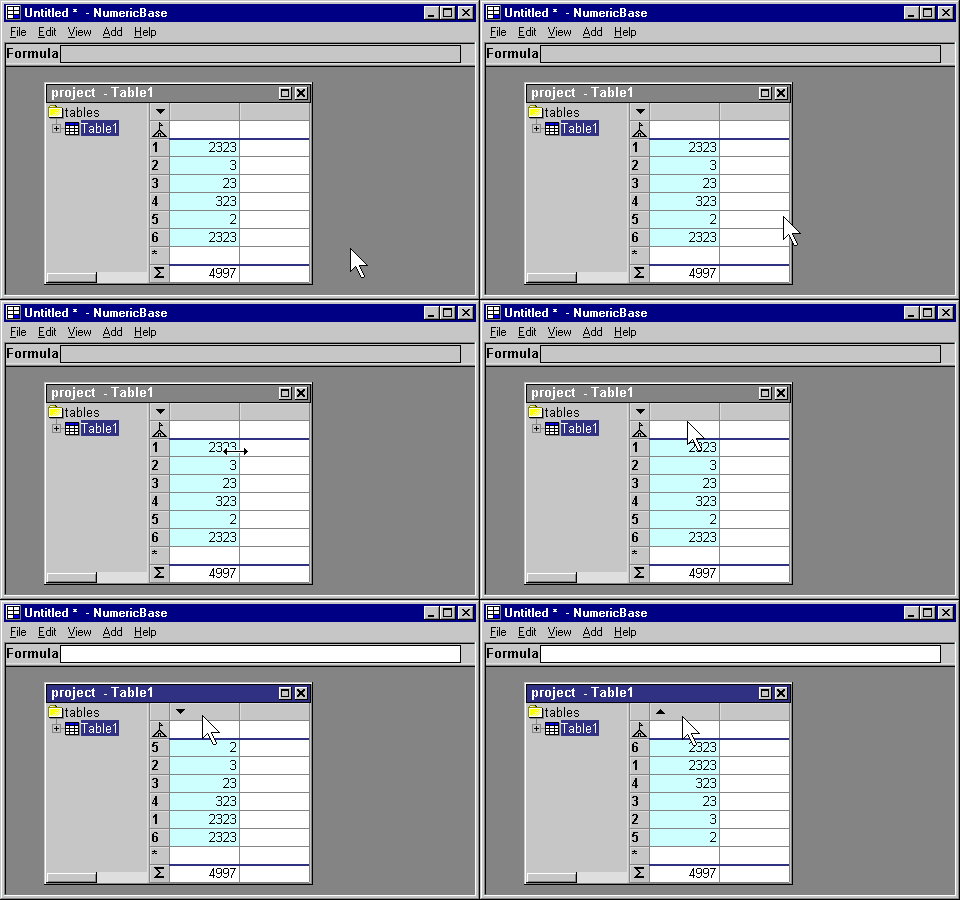
Animated screenshot: sorting by ctrl-clicking the column header.
Cancel sorting.
Sorting by row number is equivalent to not sorting at all and provides a convenient way to cancel sorting.
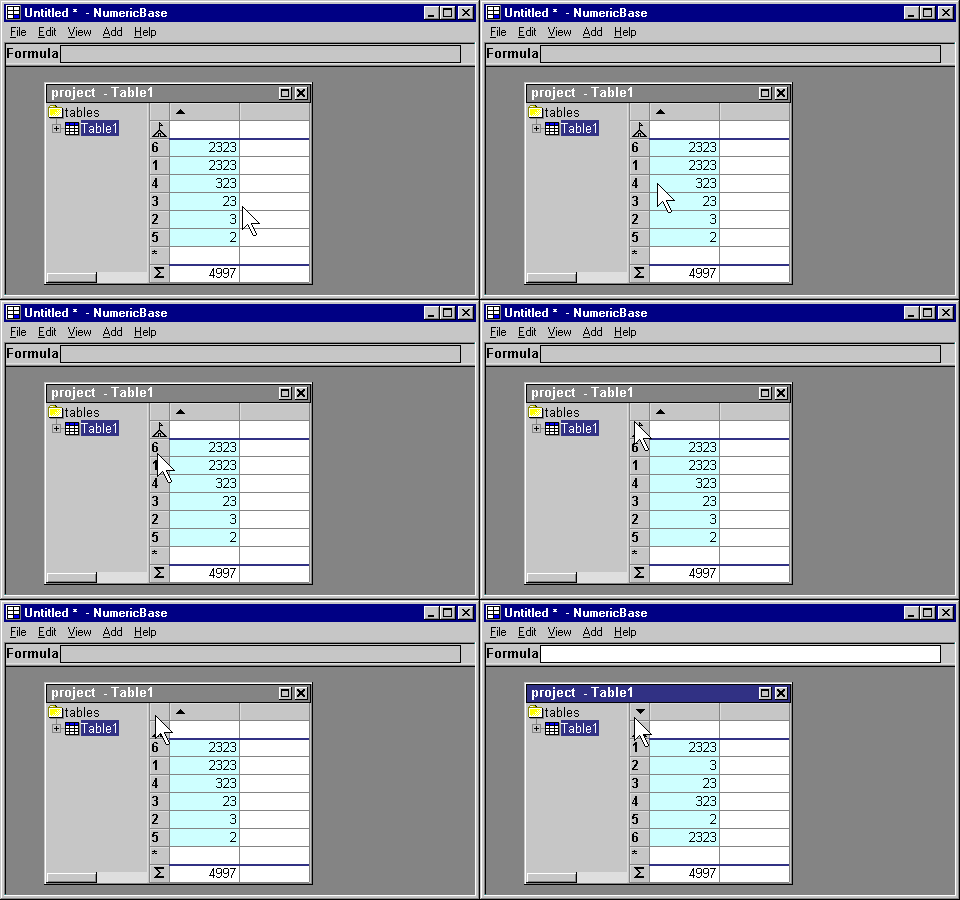
Animated screenshot: cancel sorting.
Copyright © 2003 - 2026 by symbol click. Contact info