


XML Marker
 Features
 Quick start
- The Tree View
- The Icons
- The Tree Selection Browser
- The subtags table
- Multiple occurrences.
- Unique attributes and subtags.
- Syntax checking
- Tools to modify xml.
- Color-coded text range highlighting
- Navigation
- Indentation
- The Table Selection Browser
- DTD support
- Limitations - please read.
- Use Cases
- Version 2.0 change log
- download
The Table Selection Browser
The Table Selection BrowserThis is an optional window - you can turn in on or off from the view menu. This window gives you more information about the selected cell in the Tree View Browser. If the selected cell contains text only, then this browser will use its entire window to show the ext, so you can easily read it:
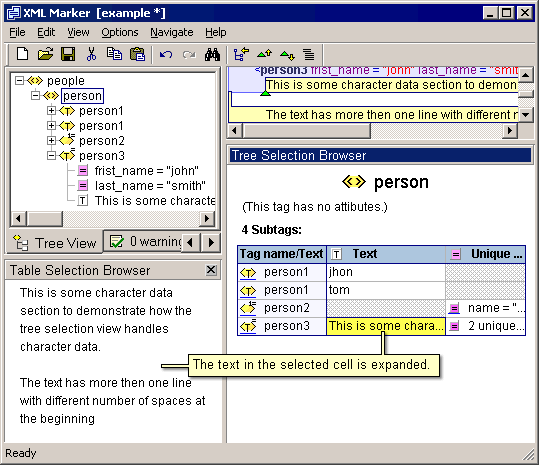
Screenshot: The selected text is expanded.
If the selected cell contains more then text.
If the selected cell contains more then text, for example, an XML tag, then the Table Selection Browser will create the appropriate table views. For example, in the following screenshot the selected cell is a unique attribute cell:
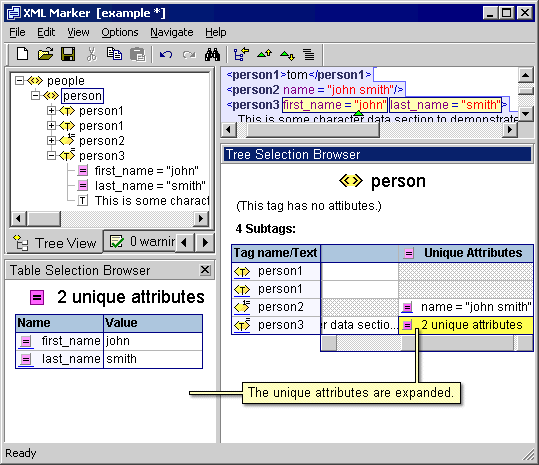
Screenshot: Unique attribute cell is expanded.
Copyright © 2003 - 2026 by symbol click. Contact info